Why JavaScript?
Ubiqutous
Quirky
Fun!
A humane programming language (it has flaws)
Where can we use JavaScript?


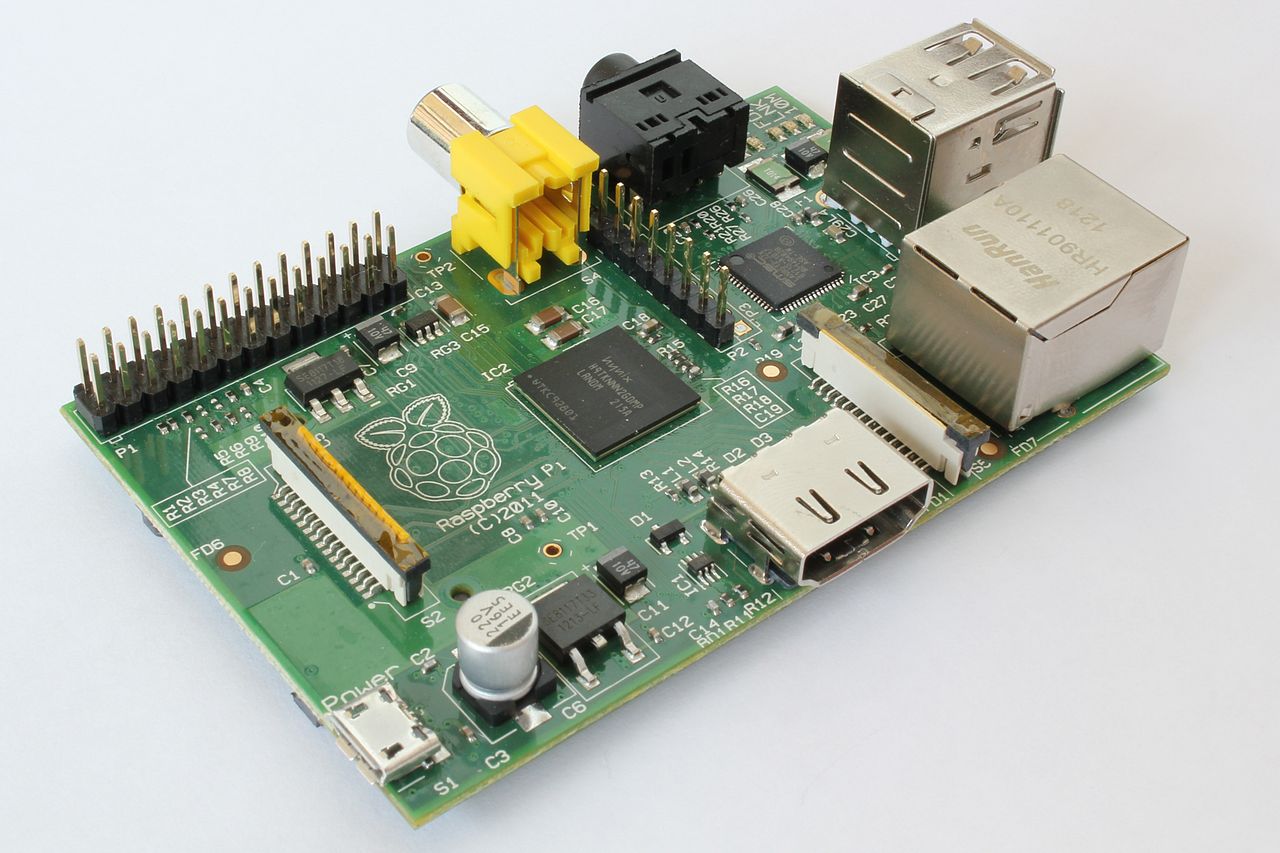
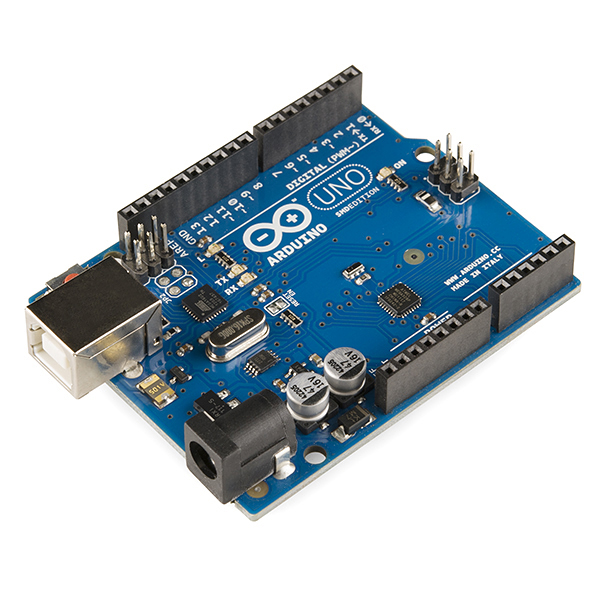
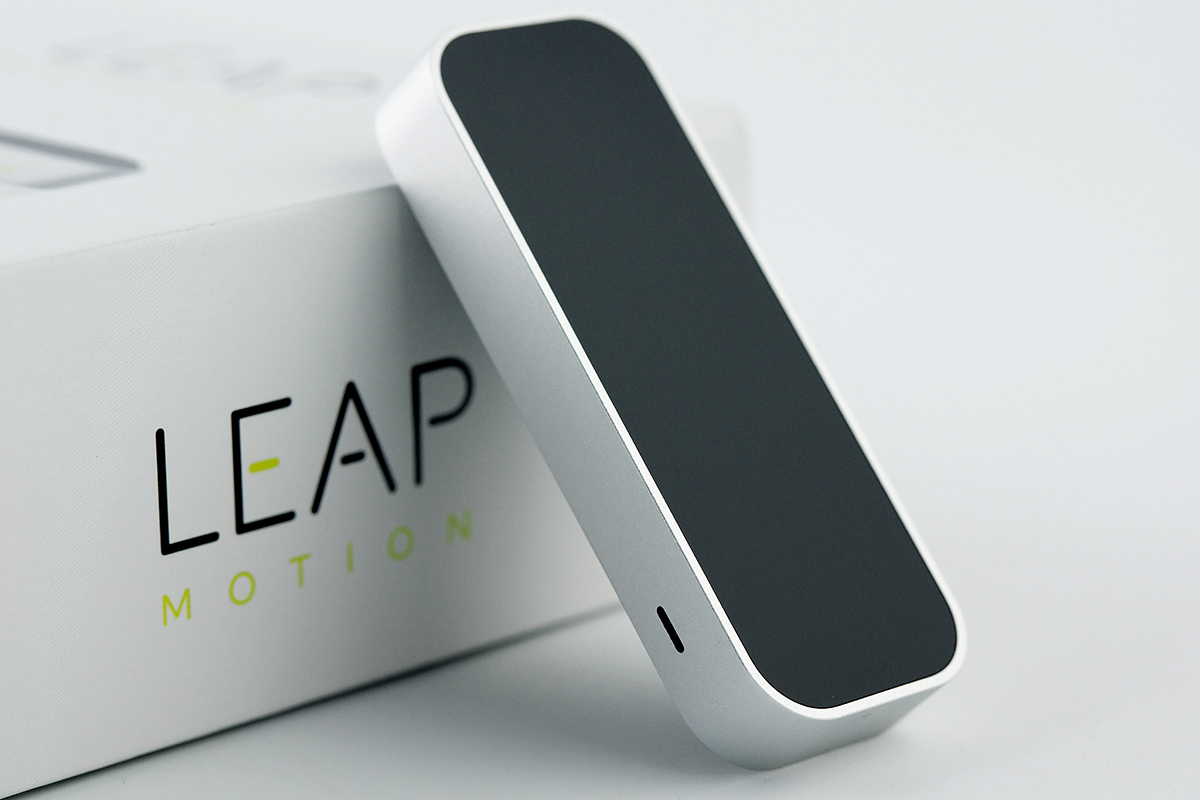

Any application that can be written in JavaScript, will eventually be written in JavaScript.
Today's agenda
Something boring
Something necessary
Something interesting
Something awesome
Something surprising
Something bad
Something creative
Today's agenda in detail
Boring: A brief history of JavaScript
Necessary: The type system
Interesting: Truthiness, Prototypal inheritance
Awesome: First class functions, Object literals, Closures
Surprising: Scoping, Concurrency
Bad: Global variables, Equals, and more
Creative: Visualisations, Games, Virtual reality, and more
A brief history of JavaScript
(actually not that boring)
In the beginning...
In 1995, Netscape Navigator was the dominant web browser, but Microsoft was making inroads with Windows 95.
Netscape considered the web browser a new form of distributed OS, but it needed a lightweight scripting language.
They hired Brendan Eich in April 1995 and told him he had ten days to design a programming language.
Brendan created Mocha, later renamed to LiveScript, borrowing ideas from LISP, Smalltalk, Self and C.
Netscape Navigator 2.0 Beta was released in September 1995.
So why is it called JavaScript?
Java had just been released and was getting a lot of attention.
Netscape marketing changed the name from LiveScript to JavaScript in December 1995.
Netscape Navigator 2.0 with JavaScript support launched in March 1996.
Netscape delivered JavaScript to Ecma International for standardisation.
June 1997: First edition of ECMA-262 ECMAScript Language Specification.
Today in the browser: es5

Today on the server: es6

Tomorrow: es7

The type system
(it's quite simple)
Types
Number
String
Boolean (true and false)
Null (null)
Undefined (undefined)
Object (a few types)
Number usage
var aNumber = 1;
var anotherNumber = 0.1;
1 / 0;
>> Infinity
Math.sqrt(-1);
>> NaN  // not a number
0.1 + 0.2;
>> 0.30000000000000004
JavaScript uses binary floating point arithmetic (IEEE 754).
String usage
var empty = '';
var helloWorld = 'Hello World!';
var escaping = 'It\'s a glorious day!';
'abc' + 'def';
>> 'abcdef'
1 + '2';
>> '12'
JavaScript does some type coercion (Number to String here).
Objects
Arrays
Functions (more on this later!)
Regular expressions
Objects (duh!)
More on objects
Containers of properties that are name/value pairs
Names can be any String
Values can be any expression
Mutable
Strings and Numbers are not objects (they are object-like but immutable)
Object usage
Simple:
var empty = {};
var simple = { 'name': 'value', 'name2': 'value2' };
Mutate:
simple['another name'] = 'another value';
Query:
simple['name'];  // or simple.name;
>> 'value'
Arrays
Simple:
var empty = [];
var numbers = [ 'zero', 'one' ];
Mutate:
numbers.push('two');   // [ 'zero', 'one', 'two' ]
numbers[0] = 'zilch';  // [ 'zilch', 'one', 'two' ]
Query:
numbers[1];
>> 'one'
numbers.length;
>> 3
Interesting parts
Truthiness, prototypal inheritance
Truthy and falsy
All expressions are either truthy or falsy.
This can be used in conditional expressions:
if (someVariable) {
    console.log("this only executes if someVariable is truthy");
}
Can be used as a simple check for null, undefined, NaN and more.
Falsy values
| Value | Type |
|---|---|
0 (zero) |
Number |
NaN (not a number) |
Number |
'' (empty string) |
String |
false |
Boolean |
null |
Object |
undefined |
Undefined |
Prototypal inheritance
A new object can inherit properties of an existing object.
Example: Arrays inherit properties of the Array prototype object, such as length
Another example:
var parent = {
    'name': "Alice",
    'greet': function() {
        console.log("Hello " + this.name);
    }
};
var child = Object.create(parent);
child['name'] = "Bob";
child.greet();  // prints "Hello Bob" to the console
Awesome parts
First class functions, Object literals, Closures
More on functions
Functions are objects and can be assigned to variables.
var simpleFunction = function() {
    console.log("Hello World");
};
This code doesn't print "Hello World" to the console, it only defines the function.
We can also pass functions as arguments to other functions.
And a function can return a function as output.
simpleFunction(); // prints "Hello World" to the console
Functions as return types
function createFunction() {
    return function() {
        console.log("Hello World");
    }
}
Functions as arguments
var map = function(map_function, numbers_array) {
    var result = [];
    for (var i = 0; i < numbers_array.length; i++) {
        result.push(map_function(numbers_array[i]));
    };
    return result;
};
Usage:
var square = function(num) {
    return num * num;
}
map(square, [1, 2]);
>> [1, 4]
Object literals
var myArray = [1, 2, 3];

var person = {
    "firstName": "John",
    "lastName":  "Smith",
};

var nestedExample = {
    "firstName": "Jane",
    "lastName":  "Smith",
    "address": {
        "country": "Australia",
        "city":    "Sydney"
    },
    "greeting": function() {
        console.log("Hello World!");
    }
}
Closures
Inner functions can access variables of the functions they are defined within.
var outer = function() {
    var outerVar = 'hello';

    return {
        inner: function() {
            console.log(outerVar);
        }
    };
};
// outerVar is no longer in scope

outer().inner();
>> 'hello'
Function closures as pseudo-classes
var counter = function() {
    var value = 0;

    return {
        getValue: function() {
            return value;
        },
        increment: function() {
            value += 1;
        }
    };
}

var myCounter = counter();  // create an instance
Encapsulation: value can't be directly manipulated.
Currying
Create a new function by supplying some arguments of an another function.
function describe(adjective) {
  return function(thing) {
    console.log(thing + " is " + adjective);
  }
}

var isAwesome = describe("awesome");
var isEvenBetter = describe("even better");

isAwesome("UNSW");
isEvenBetter("ThoughtWorks");
Surprising parts
Scoping, Concurrency
Scoping
JavaScript uses C's block syntax (curly braces {}), but there's no block scope.
There are only two scopes: global scope and function scope.
A variable defined without var is global. Never do this!
A variable defined outside any function is global.
A variable defined in a function only exists in that function.
Java vs JavaScript
void mymethod() {
    if (condition == true) {
        String mystring = "hello";
    }
    // mystring is no longer in scope
}
var myfunc = function () {
    if (condition === true) {
        var mystring = "hello";
    }
    // mystring = "hello"
}
// mystring is no longer in scope
Scoping test
var first = 0;
var scopeTest = function() {
  var first = 1;
  console.log("first=" + first);
  if (true) {
      var second = 2;
  }
  console.log("second=" + second);
};
scopeTest();
console.log("first=" + first);
console.log("second=" + second);
>> first=1
   second=2
   first=0
   ReferenceError: second is not defined
Concurrency: the event loop
while (queue.waitForEventMessage()) {
  queue.processNextEventMessage();
}
Each event message is processed completely before any other message is processed.
No multi-threading support, as in C, Java, others.
How are event messages added to the queue?
- In a browser: When a user interface event happens and an event listener is is attached.
- Elsewhere:
setTimeout()and friends
Event loop test
setTimeout(callbackFunction, delayMillis)
Adds callbackFunction as a message to the event queue, with a delay.
var counter = function() {
    for (var i = 1; i <= 3; i++) {
        setTimeout(function() { console.log(i); }, 0);
    }
}
counter();
Solution:
>> 4
   4
   4
Bad parts
Global variables, Equals, and more
Global variables
It's far too easy to create global variables!
var myFunction = function() {
    global1 = 1;
    var nonGlobal = "I only exist inside myFunction";
}
var global2 = 2;
window.global3 = 3;
global1 is global because we forgot var
global2 is global because we declared it outside of a function or object
global3 is global because we added it to the global web browser window object
Equals
JavaScript has both == and === (as well as != and !==)
== performs type coercion when the arguments are not of the same type, using strange rules:
0 == ''            // true
'0' == ''          // true
'' == '0'          // false

false == '0'       // true
null == undefined  // true

' \t\r\n ' == 0    // true
Lesson: Use === and !==
Creative coding with JavaScript
Games, Virtual Reality, Visualizations, etc...
Games
Simple ones
Games
Sample code
var createEnemies = function(numRows, numCols) {
  var refPosX = (WINDOW_WIDTH / 2);
  var refPosY = (WINDOW_HEIGHT / 10);
  //add enemies horde
  for(var x = 0;  x < numRows; ++x) {
    for(var y = 0; y < numCols; ++y) {
      //position xx
      var posX = refPosX + (40 * x);
      //position yy
      var posY = refPosY + (40 * y);
      //add an enemy to the array
      enemies[enemies.length] = new Enemy(posX, posY);
    }
  }
}
Games
More advanced ones...
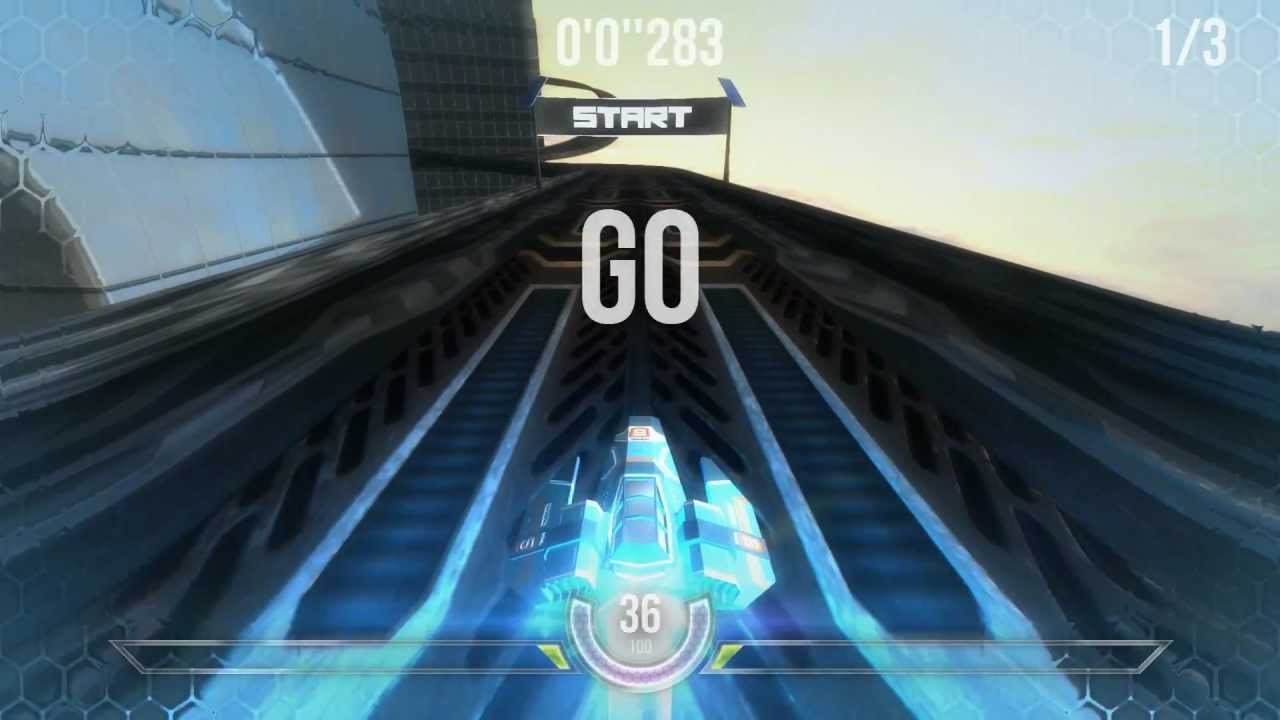
HexGL
Made with the Three.js framework
Games
Sample code
var scene = new THREE.Scene();
var renderer = new THREE.WebGLRenderer();
var camera = new THREE.PerspectiveCamera(45,window.innerWidth /
        window.innerHeight , 0.1, 1170);
camera.rotation.z = Math.PI;
scene.add(camera);
cube = new THREE.Mesh( new THREE.CubeGeometry( 200, 200, 200 ),
        new THREE.MeshNormalMaterial() );
scene.add(cube);
renderer.render(scene, camera);
Virtual Reality
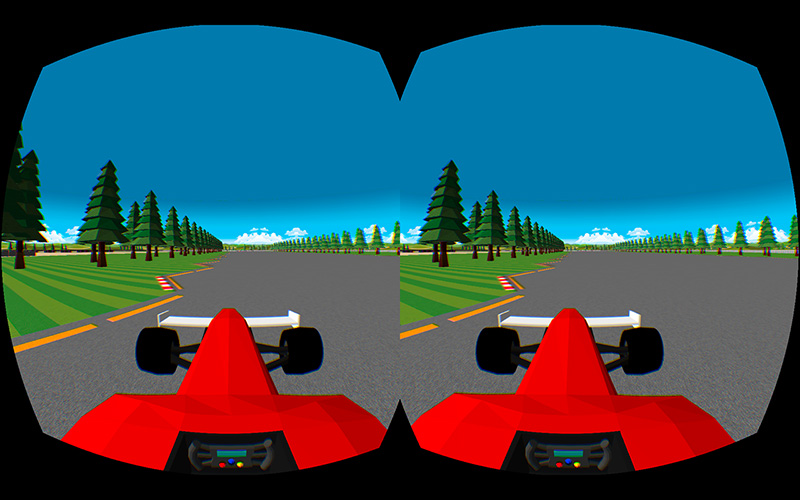 ThreeVR
Virtual Reality
Sample code
If built with Three.js, just need to work with the StereoEffect library
var scene = new THREE.Scene();
var renderer = new THREE.WebGLRenderer();
var camera = new THREE.PerspectiveCamera(45,window.innerWidth /
        window.innerHeight , 0.1, 1170);
camera.rotation.z = Math.PI;
scene.add(camera);
cube = new THREE.Mesh( new THREE.CubeGeometry( 200, 200, 200 ),
        new THREE.MeshNormalMaterial() );
scene.add(cube);
effect = new THREE.StereoEffect(renderer);
effect.render(scene, camera);
Visualizations
 Leap Motion Visualizer
Visualizations
Sample code
 Leap.loop(function(frame) {
      var ids = {};
      var hands = frame.hands;
      var pointables = frame.pointables;

      for (var i = 0, hand; hand = hands[i++];) {
        var posX = (hand.palmPosition[0] * 3);
        var posY = (hand.palmPosition[2] * 3) - 200;
        var posZ = (hand.palmPosition[1] * 3) - 400;
        var rotX = (hand._rotation[2] * 90);
        var rotY = (hand._rotation[1] * 90);
        var rotZ = (hand._rotation[0] * 90);
      }
})
Visualizations
 Data / d3.js
Visualizations
Sample code
d3.json("flare.json", function(root) {
  var node = svg.selectAll(".node")
      .data(bubble.nodes(classes(root))
      .filter(function(d) { return !d.children; }))
    .enter().append("g")
      .attr("transform", function(d) { return "translate(" + d.x +
      "," + d.y + ")"; });

  node.append("title")
      .text(function(d) { return d.className + ": " + format(d.value); });

  node.append("circle")
      .attr("r", function(d) { return d.r; })
      .style("fill", function(d) { return color(d.packageName); });
});
Art
 Dennis video
Interaction
 Voice Control with Wit.ai
Interaction
Sample code
// make a request
$.ajax({
  url: 'https://api.wit.ai/message',
  data: {
    'q': 'Turn on the lights',
    'access_token' : 'MY_WIT_TOKEN'
  },
  dataType: 'jsonp',
  method: 'GET',
  success: function(response) {
      console.log(response);
  }
});
Interaction
 Motion Tracking
Interaction
Sample code
var colors = new tracking.ColorTracker(['magenta', 'cyan', 'yellow']);

colors.on('track', function(event) {
  if (event.data.length === 0) {
    // No colors were detected in this frame.
  } else {
    event.data.forEach(function(rect) {
      console.log(rect.x, rect.y, rect.height, rect.width, rect.color);
    });
  }
});

  tracking.track('#myVideo', colors);
Interaction
Interaction
Sample code
  var readMic = function(analyser, userCallback) {
    var audioData = new Uint8Array(analyser.frequencyBinCount);
    analyser.getByteFrequencyData(audioData);

    var band = getBandwidth(analyser, audioData);
    userCallback(band);

    readMicInterval = setTimeout(readMic, 1, analyser, userCallback);
  };
Where do I start?
Thank you!
References
- Douglas Crockford: JavaScript: The Good Parts, O'Reilly
- es5: ECMAScript Language Specification, 5.1 Edition
- es6: ECMAScript 2015 Language Specification
- Mozilla Developer Network: JavaScript
- Trevor Burnham: The Origin of Javascript with Brendan Eich, JavaScript Jabber, Episode 124, 3 Sept 2014
- Charles Severance: JavaScript: Designing a Language in 10 Days, IEEE Computer, Feb 2012
- Paul Krill: JavaScript creator ponders past, future, 23 June 2008